

Loading...
The Golden Week designates the "only holiday of the year" in Japan, celebrating many landmark historical moments. To celebrate, Pokémon TCG Pocket offers a gift code to redeem Pack Hourglasses and Trade Tokens:
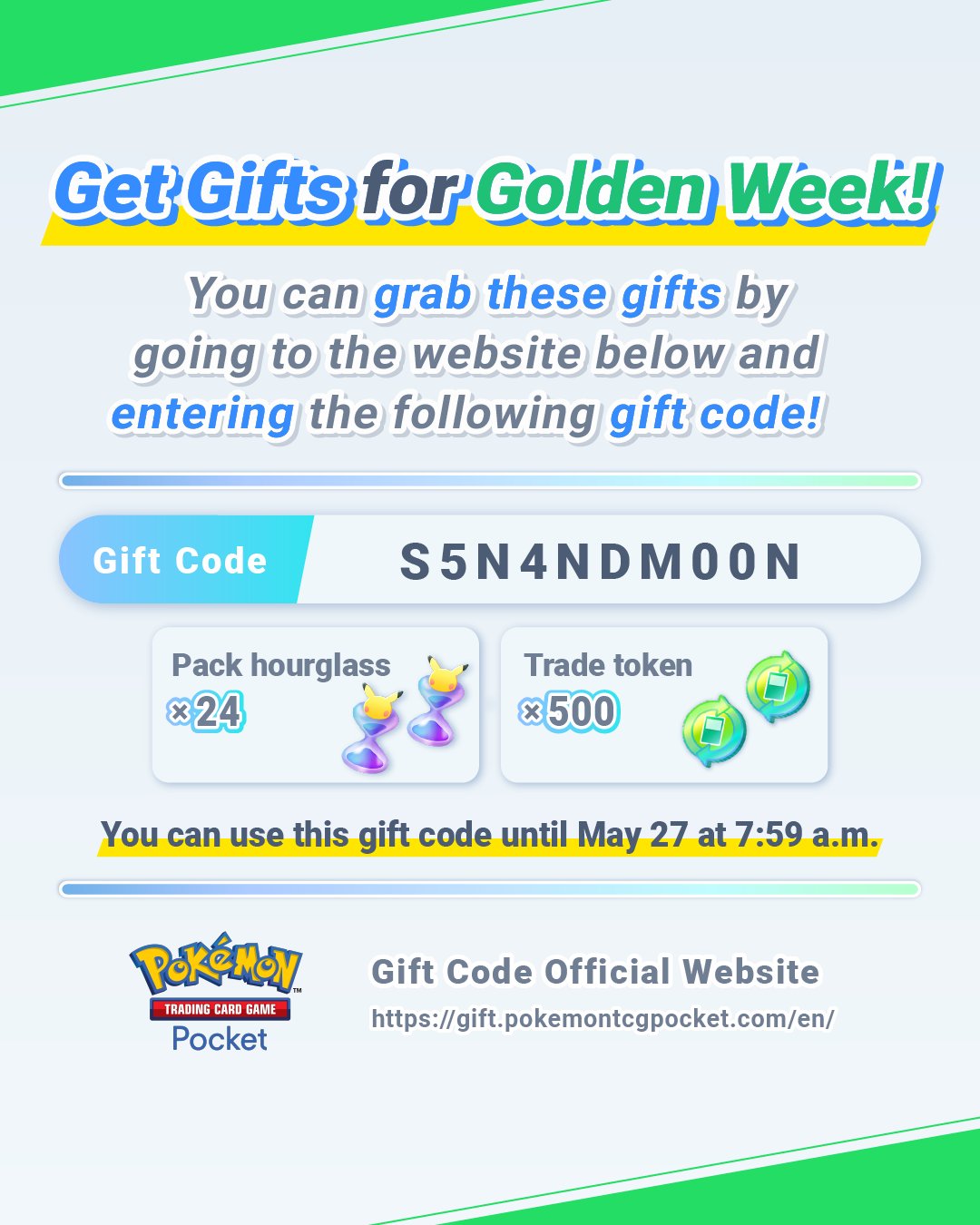
How to get the promotional items
To redeem the gifts, you will need to visit the following URL: https://gift.pokemontcgpocket.com
- Enter your Support ID. If you're not sure on how to obtain it, please check below
- Enter the following Gift Code: "S5N4NDM00N"
- Check your Gift box in Pokémon TCG Pocket: they'll contain the items!
This promotion can be redeemed until May 27.
Where do I find my TCG Pocket support ID?
You can find the Support ID needed to redeem promotional codes multiple places in the Pokémon TCG Pocket app. Important: Your support ID is not the same thing as your Friend ID.
Method 1
- Start the application.
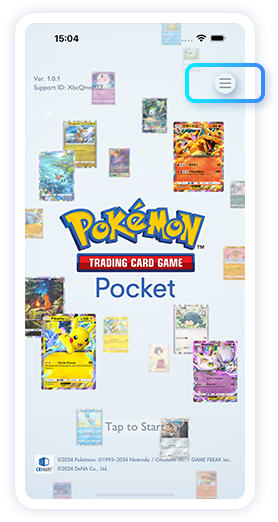
- On the title screen, tap the ≡ icon at the top-right part of the title screen to open the menu.
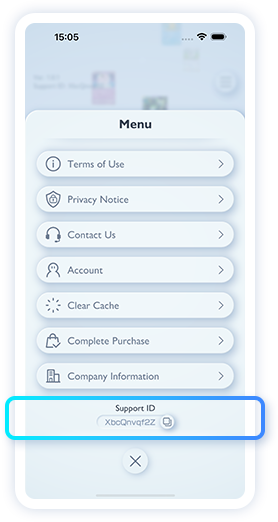
- Your Support ID is shown at the bottom part of the menu. You can copy your Support ID if you tap the copy icon to the right of it.
Method 2
- Inside the app, tap the ≡ icon to open the menu.
- Your support ID is now visible at the top of the menu. You can copy your Support ID if you tap the copy icon to the right of it.
Method 3
- Start the application.
- Your Support ID is now visible in the top-left corner, below the Version number. This code can be manually transcribed.
More information on these methods on the official website, in multiple languages: https://gift.pokemontcgpocket.com/en/howtocheck/
Troubleshooting
Gift codes cannot be redeemed in the game app itself. Please visit the Pokémon TCG Pocket redemption website to enter your support ID and gift code. The gift will then be added to your in-game account’s gift box.
- Ensure that the gift code is entered correctly.
- The gift will be added to the gift box in-game. To check if you have already received a gift, open “Gifts” and then select “Claimed.”
- It may take some time for a gift to appear in “Gifts” after you redeem the code on the website. Please wait and check again.
If you are not able to redeem a gift code or if you do not receive a gift, it may be because:
- Your save data has reached the maximum number of gifts you can receive for that gift code.
- The gift code has reached its usage limit.
- The gift code is not valid yet or the gift code expired.